
The Easiest CNC Router to Use When You Have No Programming Experience
For a small shop or a first-time CNC buyer with no programming experience, the easiest CNC router to use is one you never have to program. Thermwood built the Cut Center that way. Its Cut Ready software lets you pick what you want to make and enter the sizes. Then it creates the parts, nests them on the sheet, runs the router, prints part labels and shows you how the parts go together, with no G-code, CAD or CAM to learn.
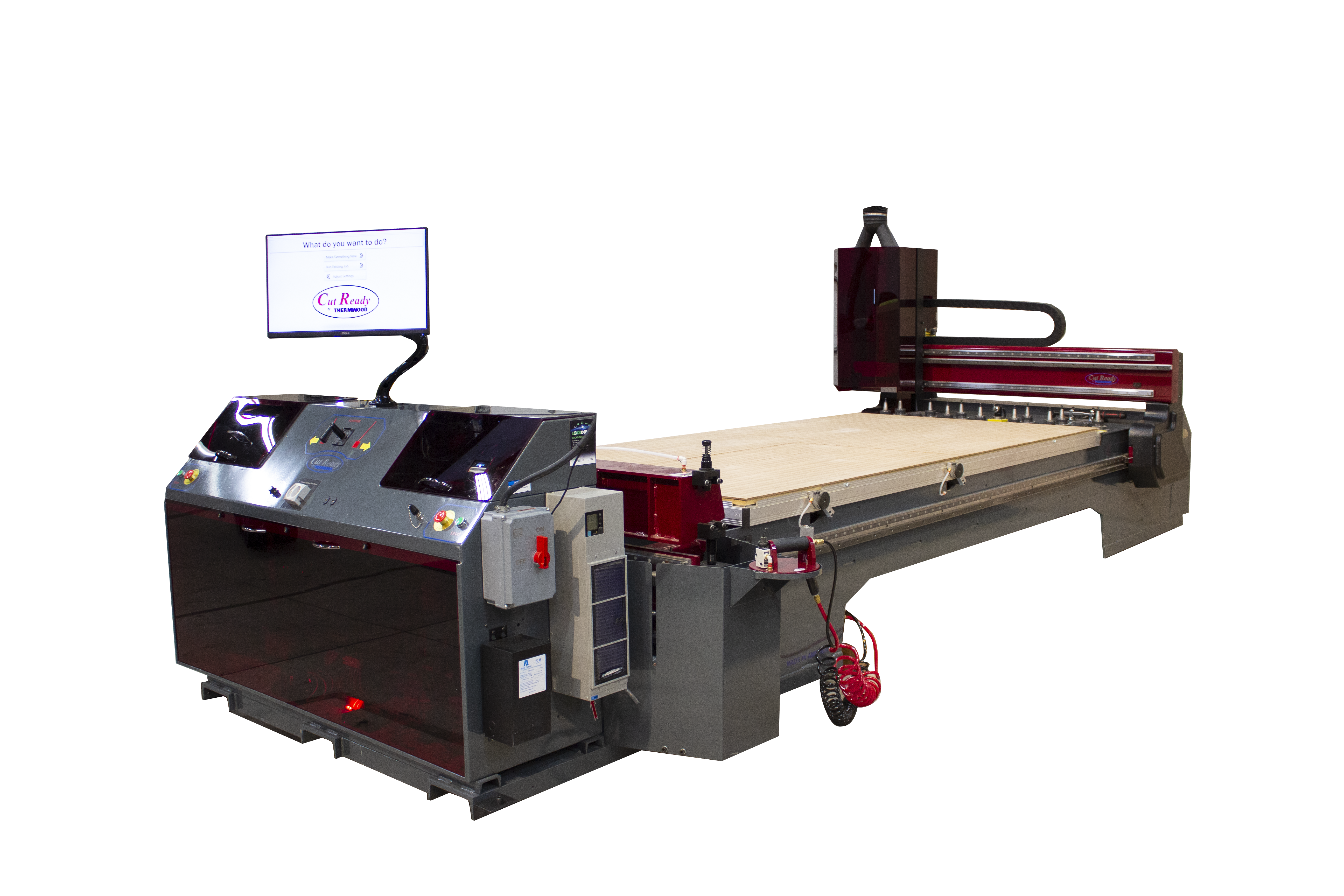
The Cut Center is a 5'x10' industrial CNC router for working shops that build cabinets, closets, furniture, drawers, moldings and more. It guides the operator through each step in real time, so a shop doesn't need a CNC programmer or a trained machine operator to run it.
On this page: Why most CNCs are hard How a job runs Customer stories Is it right for you? What you can make Specifications Shop requirements Hobby vs. production FAQ
Why Most CNC Routers Are Hard for Beginners
On most CNC routers, including the hobby and desktop machines often recommended to beginners, cutting a part takes several separate skills. You draw the part in CAD software, turn the drawing into toolpaths in CAM software, choose bits and cutting settings, export a program for your machine, and then set up and zero the material before you cut. Each step is something new to learn, and a mistake in any one of them can ruin material or break a tool.
"I hear it all the time. Programming feels overwhelming, or they just don't want to do it. And I get it. It's a valid concern. But here's the thing. We've built solutions that erase that fear."
Cut Ready removes those steps. You describe the product, and the software does the programming.
What You Do on a Typical CNC Router vs. the Cut Center
| Task | Typical CNC router | Thermwood Cut Center with Cut Ready |
|---|---|---|
| Design the part | Draw it in CAD software | Choose a product and enter its sizes and details |
| Create toolpaths | Program them in CAM software | Created automatically |
| Lay parts out on the sheet | Nest by hand or with separate nesting software | Automatic nesting to reduce waste, with automatic off-fall and small-part management |
| Choose and manage tools | Pick bits and track tool lengths yourself | Automatic tool position management, tool length and diameter measurement, tool life monitoring and tool verification |
| Set up the sheet | Locate and zero the material | Retractable locator stops with position sensors, precision sheet position detection, material thickness calipers and an air float system to help move sheets |
| Identify parts | Mark parts by hand | Color-coded job and part labels print automatically |
| Assemble the job | Work from your own drawings | On-screen assembly guidance |
| Recover from a problem | Diagnose the issue and restart the program | E-stop recovery help, easy broken-tool recovery, easy recutting of damaged parts and live Virtual Service help on the control screen |
| Maintain the machine | Track maintenance and resurface the spoilboard yourself | Automatic maintenance management with a video for each task, automatic lubrication, and automatic wasteboard and tableboard resurfacing |
How a Job Runs on the Cut Center
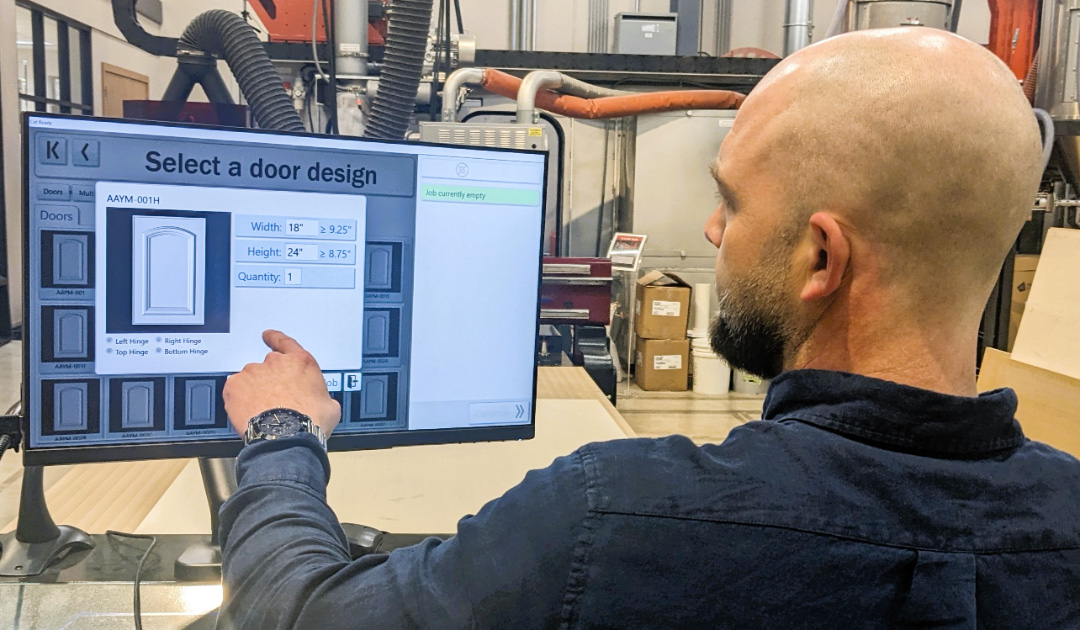
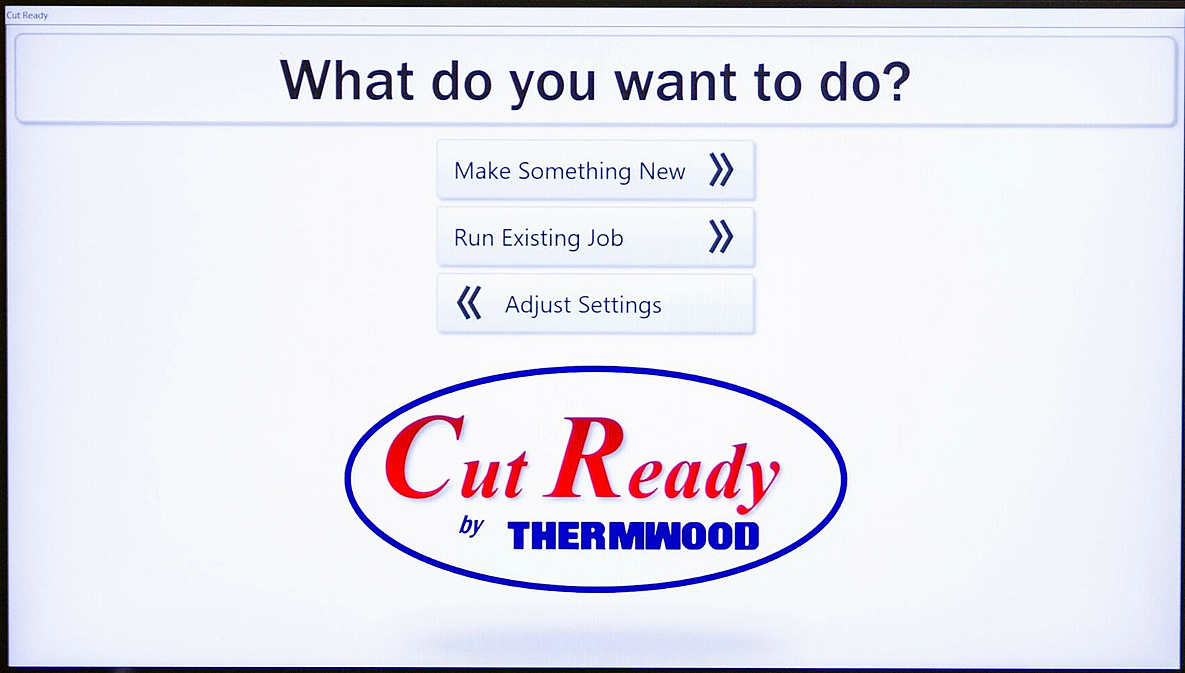
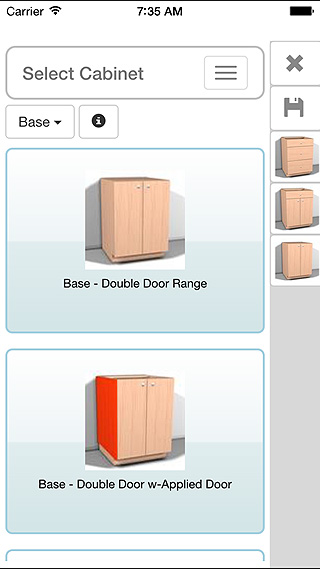
- Pick what you want to make. Choose a cabinet, closet unit, drawer box, piece of furniture or other product from Cut Ready's catalogs on the Cut Center's 23-inch touch screen, or from the Cut Ready mobile app without interrupting the machine. You can rotate, zoom and explode each product in 3D before you build it.
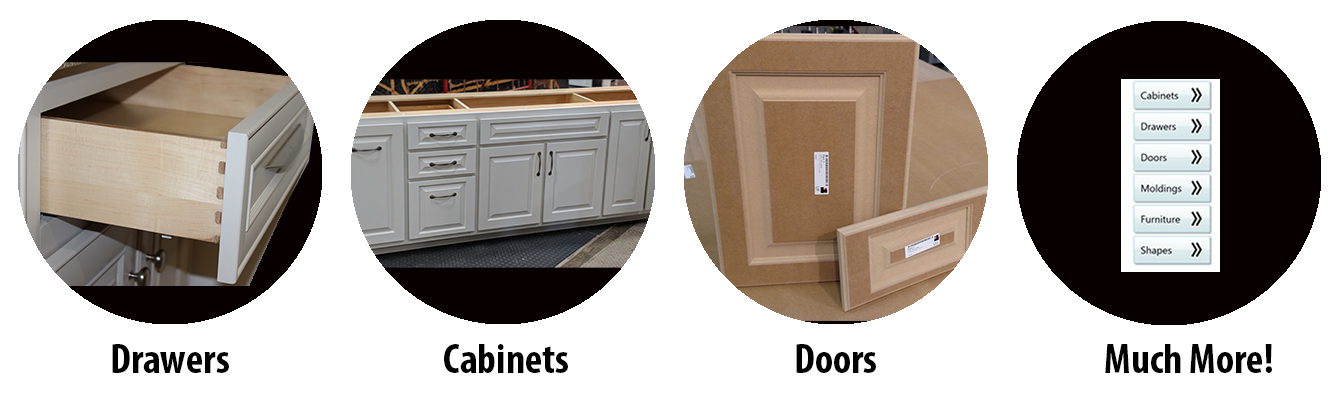
- Enter the sizes and details. Type in the dimensions and construction details for the job. For cabinets, you aren't limited to a template or library, so you can build exactly what each customer wants.
- Cut Ready builds the job. The software creates every part, generates the toolpaths and nests the parts on your sheets, and it picks the machining strategy for each part based on its size.
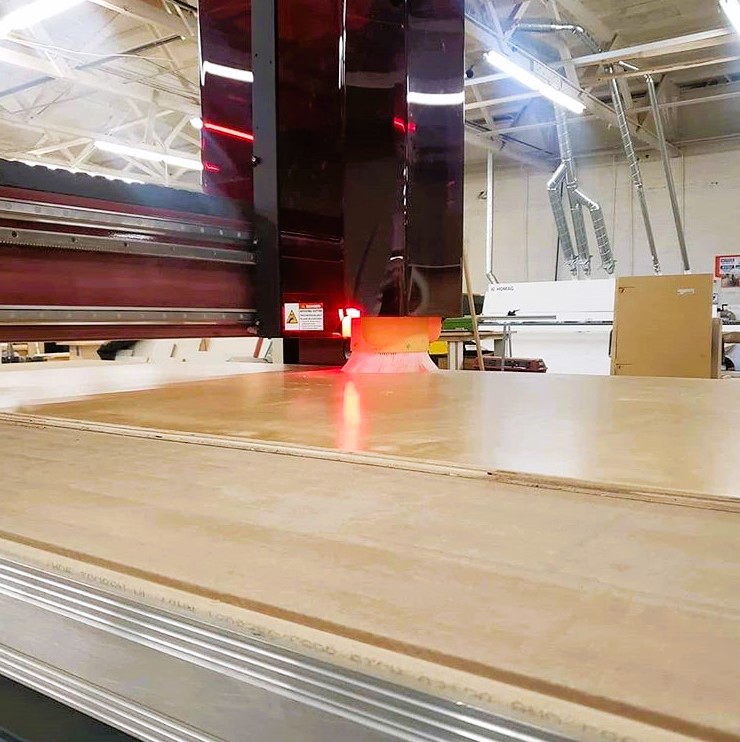
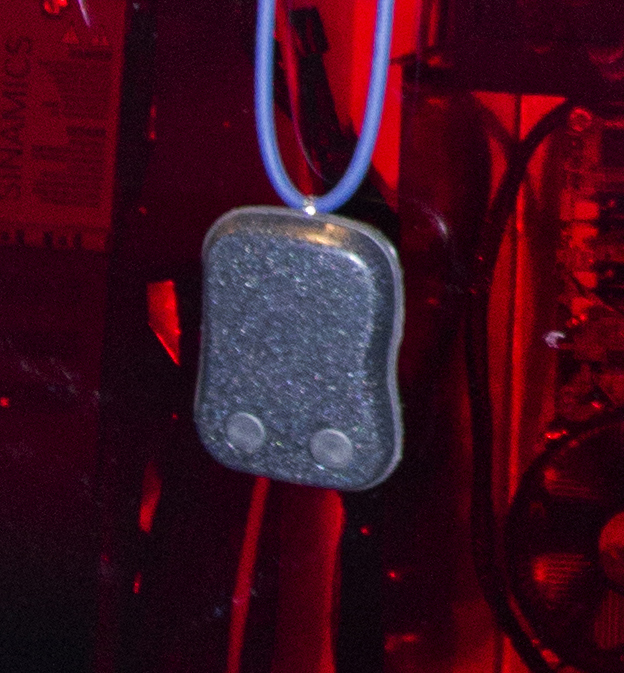
- Load the sheet and cut. A short video on the screen shows the operator each step. The Cut Center tells you what to load, floats the sheet on air so it slides into place against the locator stops, measures the material and runs the job. A wearable pause button lets the operator stop the machine from anywhere nearby.
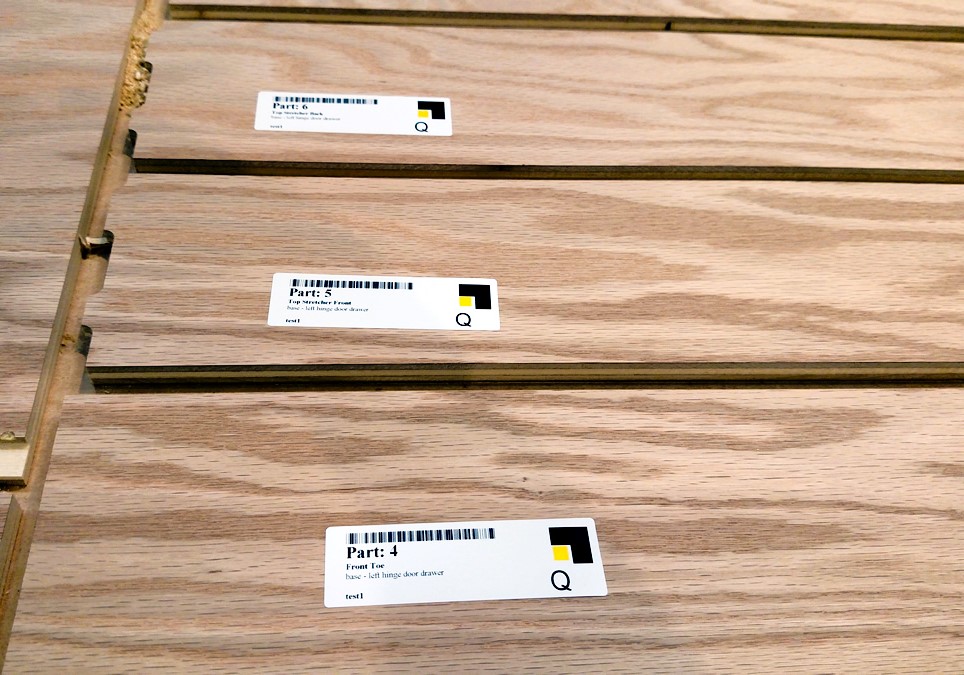
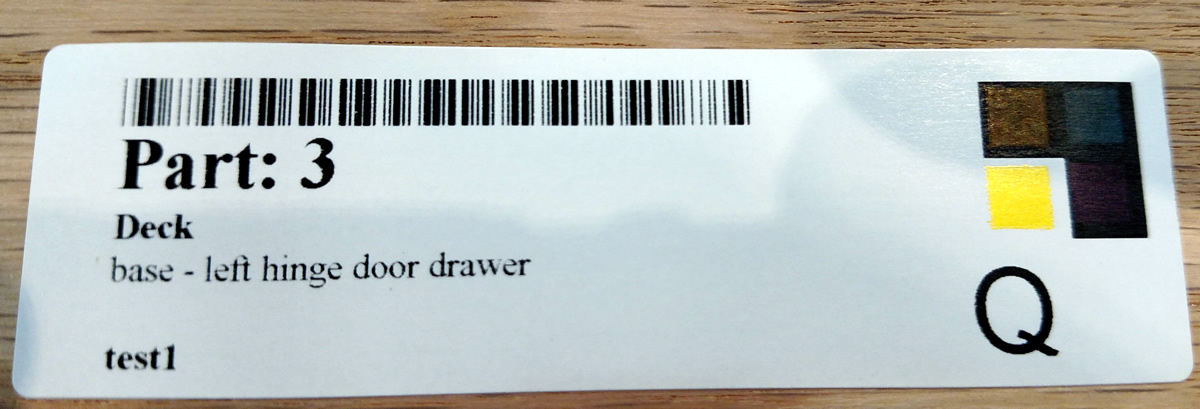
- Label and assemble. Color-coded labels print for each part, and the screen shows how the parts go together.
"Being able to go to the machine, easily pick out a cabinet or piece of furniture, plug in the size and start cutting material is huge!"
Create Jobs From Your Phone
The Cut Ready app lets you browse products, create or edit jobs and send them to the machine remotely, without interrupting production. Take measurements at a customer's home, build the job on the spot, and it's waiting at the Cut Center when you get back.
See how easy it is to design and machine a cabinet job on the Cut Center.
Real Shops Running CNC Without Programmers
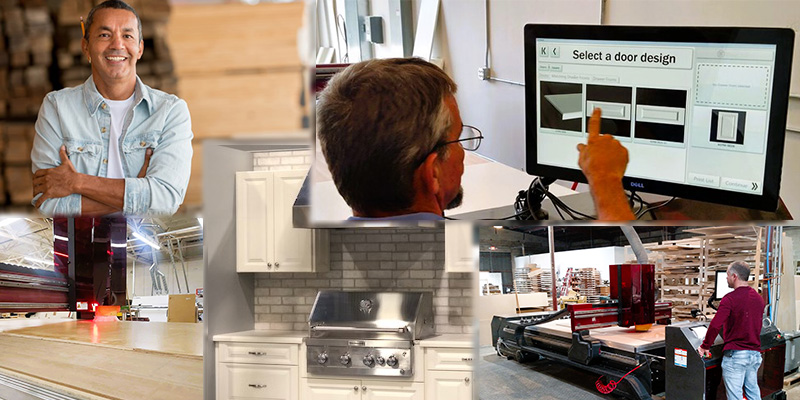
Both shops below run Cut Ready on a Thermwood Model 43, the add-on version of the software. The Cut Center uses the same Cut Ready software and goes further, guiding the operator through the whole production process.
Hallex & Harich Cabinetry, Foley, Alabama
David and Jenny Hallex run their cabinet shop on a Thermwood Model 43 Work Cell with Cut Ready. Compared with the machines they ran before, they say the difference is night and day. Cut Ready's catalogs already covered products they used to program by hand, such as outdoor kitchens and kitchen hoods, and they can send a one-off vanity from the app straight to the machine. Shop staff with no programming background work from the sizes they're given and get accurate parts.
"You don't have to be a 15-year programmer to run the Thermwood. Every other machine you absolutely have to be."
"I could give it to my 13-year-old daughter, a cut chart right now, and she can go input it in Cut Ready."
Dovetail Drawers of Texas, Austin, Texas
Dovetail Drawers of Texas makes custom drawer boxes and cabinet parts on two Thermwood 3-axis routers, including a Model 43 5'x10' running Cut Ready. The shop didn't want to hire someone to sit at a computer drawing parts all day. Cut Ready let them turn customer orders into cut parts without that, and their cabinet-parts business grew so quickly that it now runs its own machine, all day, every day. Read how Dovetail Drawers transformed their shop.
"There's no software to learn. You just pick a picture you like, resize it and that's all you have to do."
"You don't have to be experienced in CAD or anything like that."
"There's a lot of peace of mind in running Thermwood machines."
What Cut Center Owners Say
"Anybody can walk in and run the Cut Center."
"We've saved a guy's labor every year we've had the Cut Center... or two guys. That's $100,000 savings a year... with that savings, it doesn't take long to pay your machine off."
"The Cut Center will run everything you want. It doesn't get sick, it doesn't get tired, it will run at night and it won't talk back."
Is the Cut Center Right for Your Shop?
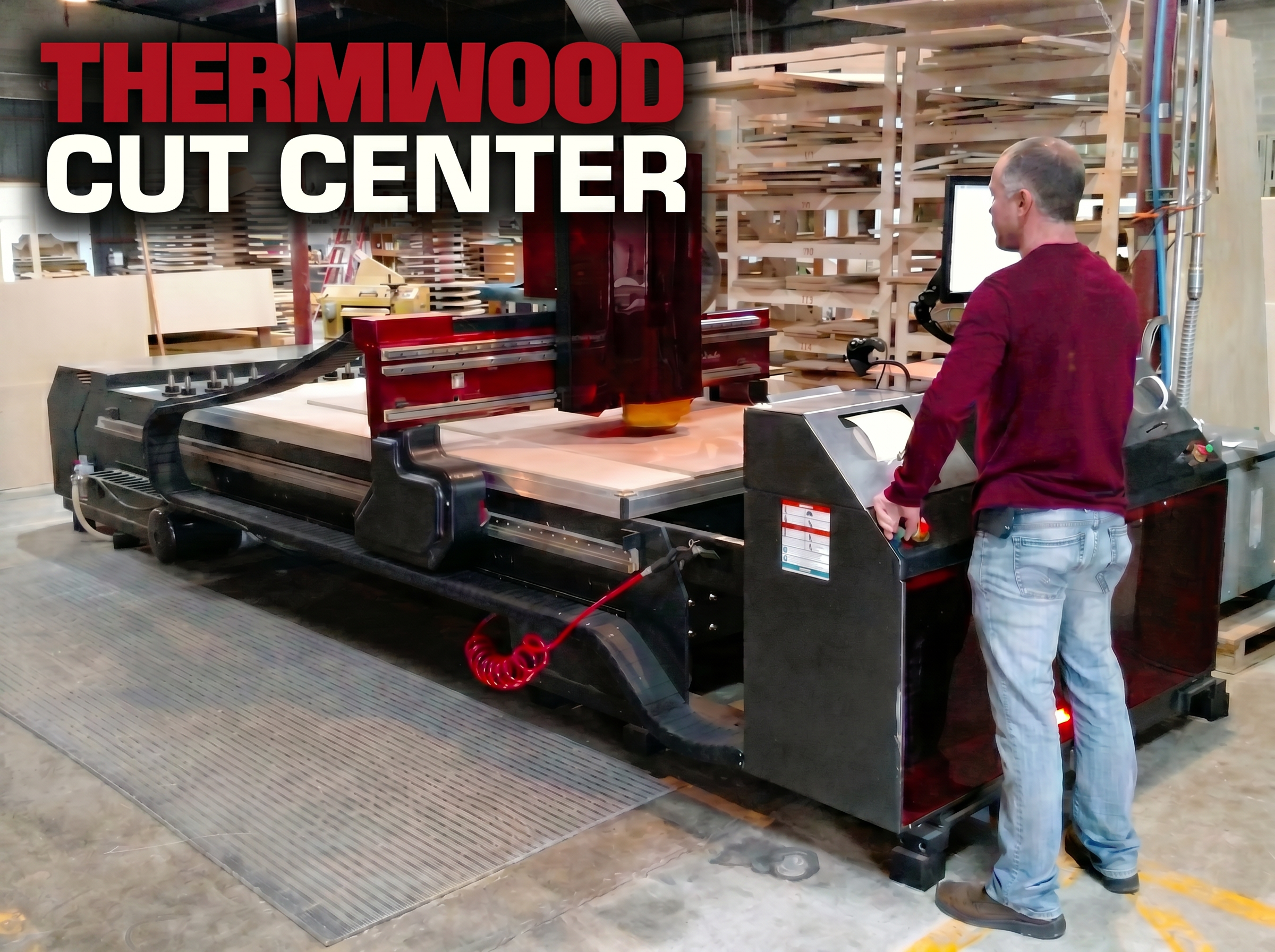
A Cut Center at Alpha Woodworks in Dothan, Alabama.
A good fit if you are
- A small fabrication or woodworking shop buying its first CNC router
- A shop without a CNC programmer, or one that doesn't want to depend on one
- A cabinet, closet or furniture shop that builds custom work for each customer
- A growing shop that's short on skilled labor and wants to run jobs after hours
- Moving from a table saw and hand layout to CNC production for the first time
Probably not the right fit if you
- Want a small desktop or hobby CNC for a home garage. The Cut Center is a full-size industrial machine built for daily production.
- Can't provide 3-phase power, compressed air and 1,200 CFM dust collection. See what your shop needs.
- Mostly cut complex 3D shapes, molds or trimmed parts. Look at Thermwood's 5-axis CNC routers.
- Need a larger table or more tooling than a 61"x121" sheet and 12 tool positions. Consider Cut Ready on another Thermwood 3-axis router.
What Can You Make Without Programming?
Cabinets and Closets
Custom cabinets, face-frame and frameless units, combination cabinets and complete closet systems.
Doors and Drawers
Custom cabinet doors, drawer boxes and drawer components.
Furniture
Custom tables, case goods and other furniture pieces.
Moldings and Architectural Details
Custom moldings, trim and stair stringers.
Custom and Specialty Products
Cutting boards, live-edge slab flattening, workbench and spoilboard resurfacing, and custom shapes.
Cut Center Specifications
| Maximum sheet size | 61"x121" (1549mm x 3073mm), for full sheets of plywood, MDF and particleboard |
| Spindle | 12 HP (9 kW) automatic tool change spindle, up to 24,000 RPM |
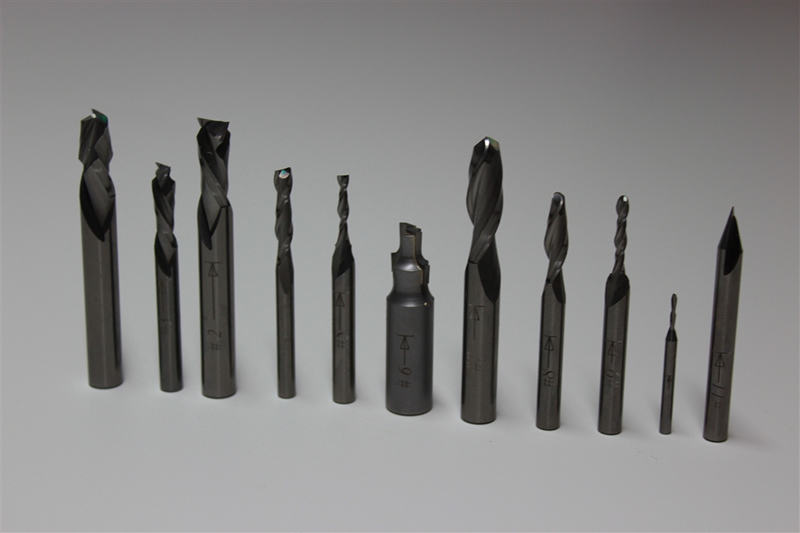
| Tooling | 12 tool storage positions (tools up to 2" diameter), 12 precision balanced tool holders with tooling installed, Cut Ready tool kit, tool change station and torque wrench |
| Tool management | Automatic tool position management, tool life monitoring, tool length and diameter measurement and tool parameter maintenance |
| Vacuum hold-down | Internal 15 HP (60Hz), 280 CFM vacuum system with automatic valves and an ultra-flow table, one 3/4" MDF high-flow vacuum table board and three 1/4" MDF high-flow waste boards |
| Table management | Automatic three-stage machining based on part size, automatic wasteboard management, automatic wasteboard and tableboard resurfacing, three retractable material locator stops with position sensors, and an automatic air float system |
| Operator interface | 23-inch touch screen on an adjustable arm with gesture control, video instruction for each step, and graphic and 3D product views (rotate, zoom, pan and explode); start and emergency stop buttons in two locations; wearable pause button; USB keyboard ready |
| Controller | Thermwood Ultra 6 CNC control |
| Maintenance | Automatic routine maintenance management with a video for each task, automatic oil and grease lubrication, and live Virtual Service help on the control screen |
| Software and updates | Cut Ready, fully integrated. System software and product library updates and additions are free downloads when they're released. |
| Custom products | Design your own products in eCabinet Systems, following specific design protocols, and add them to the Cut Center to run with no further programming |
| Training | None needed to run the Cut Center. With the CNC Access option, a week-long programming and operation class for two people at Thermwood's Advanced Training Center in Dale, Indiana is included. |
| Sheet Flipper (optional) | Integrated into the machine to turn sheets over for back-side machining, using an air-operated edge clamp and an electric drive. Needs no extra floor space. Handles material up to 5'x10'x1" that can withstand end clamping during the flip. Includes two manual lift vacuum cups for moving material. |
| Other options | CNC Access (run the Cut Center as a conventional CNC router too), other input voltages |
What Your Shop Needs for a Cut Center
The Cut Center is an industrial machine, so check these before you plan a purchase. Most hobby and garage shops don't have 3-phase power or 1,200 CFM of dust collection.
| Electrical | 3-phase power: 440–480V, 60Hz or 380–440V, 50Hz (other voltages optional). A supplementary grounding rod with 25 ohms or less resistance to ground should be set near the machine. It doesn't replace the equipment's main ground. |
| Compressed air | 20 CFM at 100 PSI (max), on a 3/4" incoming line |
| Dust collection | At least 1,200 CFM, with a 6" connection |
| Internet | An internet connection is required |
| Vacuum | Built in. No separate vacuum pump to buy. |
See the Sheet Flipper in Action
Hobby CNC or No-Programming Production CNC?
Many lists of "easy" CNC routers point to hobby machines. They can be a good way to learn CNC at home, but most still expect you to learn design and toolpath software, and they aren't built for full sheets or all-day production. If CNC is going to earn money for your business, compare more than the price.
| Typical hobby or desktop CNC | Thermwood Cut Center | |
|---|---|---|
| Built for | Home, hobby and light-duty use | Professional shops running daily production |
| Table size | Often smaller than a full sheet | 5'x10', for full sheets of plywood, MDF and particleboard |
| Spindle and tooling | Often a single router motor with manual bit changes | 12 HP, 24,000 RPM spindle with 12 automatic tool positions |
| Power | Often standard single-phase power | 3-phase industrial power, compressed air and 1,200 CFM dust collection |
| Software to learn | Usually separate CAD and CAM programs | No programming to learn. Cut Ready does it. |
| Training | Usually self-taught from online videos | None needed. A video on the screen shows each step. |
| Labels and assembly | Up to you | Color-coded labels and on-screen assembly guidance |
| Help when something goes wrong | Varies by brand, often forums | Built-in recovery help, live Virtual Service on the control screen and factory support from Dale, Indiana |
Cut Center or Cut Ready on Another Thermwood Router?
Choose the Cut Center if you want the simplest path to CNC production. Cut Ready is fully integrated, the machine guides the operator through every step, and features such as automatic vacuum pump control, precision sheet position detection and material thickness calipers are built in. Add the CNC Access option, which includes a week-long programming and operation class in Dale, Indiana, if you also want to program and run it as a conventional CNC router.
Choose Cut Ready on another Thermwood 3-axis router if you need a larger table, more tooling or a different configuration. You still won't program Cut Ready jobs, but you'll need machine training and normal router operation. See the full Cut Ready and Cut Center comparison.
Training, Support and Financing
The Cut Center requires no training to operate. Cut Ready is intuitive, and the touch screen plays a short video for each step, from creating the job to loading sheets, cutting, labeling, assembly and routine maintenance, so you can start producing work without a class.
If you add the CNC Access option to run the Cut Center as a conventional CNC router too, the purchase includes a week-long programming and operation class for two people at Thermwood's Advanced Training Center in Dale, Indiana.
Thermwood has designed and built CNC routers in Dale, Indiana since 1969, and it supports its machines for as long as owners want to run them. Virtual Service gives you live help right on the control screen, and system software and product library updates are free downloads when they're released. Financing for the Cut Center and other Thermwood machines is available through Stearns Bank.
Frequently Asked Questions
What is the easiest CNC router to use for someone with no programming experience?
For a professional shop, the Thermwood Cut Center is built for exactly this. Its Cut Ready software means you never write a CNC program or learn CAD or CAM. You choose what to make and enter the sizes, and the Cut Center creates the parts, nests them, cuts them, prints part labels and guides assembly. It's a 5'x10' industrial CNC router for small fabrication and woodworking shops and first-time CNC buyers, not a hobby machine.
Do I need to know G-code, CAD or CAM to run a Cut Center?
No. Cut Ready creates the parts, toolpaths and nesting for you, so there's no G-code to write and no CAD or CAM software to learn. You work from the products you want to build and the sizes you need.
Can a first-time CNC buyer run a Cut Center?
Yes. The Cut Center guides the operator through the entire production process in real time, from loading sheets to recovering from a broken tool, so it requires neither a CNC programmer nor a trained machine operator. Owners say anybody can walk in and run it.
How long does it take to learn to use the Cut Center?
You don't need any training to start. Cut Ready is intuitive, and the Cut Center's touch screen plays a short video for each step of creating a job, loading sheets, running the job, recovering from problems and doing routine maintenance. One Cut Ready owner says he can teach a new hire to put the cabinets together in five minutes.
Do I need training to run the Cut Center?
No. The Cut Center requires no training to operate, because Cut Ready walks the operator through every step. If you buy the CNC Access option to also run it as a conventional CNC router, the purchase includes a week-long programming and operation class for two people at Thermwood's Advanced Training Center in Dale, Indiana. The Cut Center also includes ongoing virtual support.
Is the Cut Center a hobby CNC router?
No. The Cut Center is a full-size industrial CNC router with a 5'x10' table, built for professional shops running daily production. If you're looking for a small machine for home or hobby use, the Cut Center isn't designed for that.
What can I make on a Cut Center without programming?
Custom cabinets, face-frame and frameless units, combination cabinets and complete closet systems; cabinet doors, drawer boxes and drawer components; tables, case goods and other furniture; moldings, trim and stair stringers; and specialty work such as cutting boards, live-edge slab flattening, workbench and spoilboard resurfacing, and custom shapes.
Am I limited to a library of templates?
No. Cut Ready comes with product catalogs to start from, and free library updates and additions are released as downloads. For cabinets, you can design any size or style you need without template limits. You can also design your own products in eCabinet Systems, following specific design protocols, and add them to the Cut Center to run with no further programming.
What materials can the Cut Center cut?
The 5'x10' table handles full sheets of plywood, MDF and particleboard. It's also used on solid wood for work such as cutting boards and live-edge slab flattening.
What are the Cut Center's specifications?
The Cut Center takes sheets up to 61"x121" (1549mm x 3073mm). It has a 12 HP (9 kW), 24,000 RPM automatic tool change spindle with 12 tool positions for tools up to 2" in diameter, an internal 15 HP, 280 CFM vacuum hold-down system, automatic wasteboard and tableboard resurfacing, a 23-inch touch screen and a Thermwood Ultra 6 CNC control, with Cut Ready software fully integrated.
What does my shop need to install a Cut Center?
The Cut Center needs 3-phase power (440-480V at 60Hz or 380-440V at 50Hz, with other voltages optional) and a supplementary grounding rod near the machine with 25 ohms or less resistance to ground. It also needs 20 CFM of compressed air at 100 PSI on a 3/4" line, at least 1,200 CFM of dust collection with a 6" connection, and an internet connection. The vacuum system is built in.
Can the Cut Center also run as a regular CNC router?
Yes, with the CNC Access option. CNC Access lets you program and run the Cut Center, or another Cut Ready-compatible Thermwood router, as a conventional CNC router in addition to running jobs through Cut Ready. CNC Access includes a week-long programming and operation class for two people at Thermwood's Advanced Training Center in Dale, Indiana.
What happens if something goes wrong during a job?
Cut Ready helps the operator recover. It includes E-stop recovery help, easy recovery from a broken tool and easy recutting of damaged parts, and the Cut Center adds vacuum loss detection and automatic tool verification. If you need a person, Virtual Service gives you live help right on the control screen.
Can the Cut Center machine both sides of a sheet?
Yes, with the optional Sheet Flipper. It's built into the machine and uses an air-operated clamp to grip the edge of the sheet and an electric drive to turn it over for back-side machining, with no extra floor space. It handles material up to 5'x10'x1" that can withstand end clamping during the flip, and it comes with two manual lift vacuum cups for moving material.
How is the Cut Center maintained?
The Cut Center tracks its own routine maintenance and plays a video for each task, lubricates itself automatically, and resurfaces its own wasteboard and tableboard. Virtual Service is available on the control screen for live help.
Are software updates free?
Yes. Cut Ready system software updates and product library updates and additions are free downloads when they're released.
What's the difference between the Cut Center and Cut Ready on another Thermwood router?
Both run Cut Ready, so neither requires CNC programming. The Cut Center is fully integrated and guides the operator through the whole process, with features such as automatic vacuum pump control, precision sheet position detection and material thickness calipers. Another Cut Ready-equipped Thermwood 3-axis router offers larger tables, more tooling and other configurations, but it requires machine training and normal router operation, apart from programming. Either one can also run as a conventional CNC router with the CNC Access option.
Can I add Cut Ready to a Thermwood router I already own?
Cut Ready can be added to most compatible Thermwood 3-axis routers, including some machines already in the field. Compatibility depends on the machine's table size and number of tool positions, so contact Thermwood with your model and configuration to confirm.
Can I see Cut Ready before I buy?
Yes. You can watch Cut Center and customer videos on thermwood.com, log in to the Cut Ready Web demo, or contact Thermwood to talk through your shop's work and arrange a demonstration.
Is financing available for the Cut Center?
Yes. Financing for the Cut Center and other Thermwood machines is available through Stearns Bank.
See If the Cut Center Fits Your Shop
Tell us what your shop builds and how you work today, and a Thermwood specialist will help you decide whether the Cut Center or Cut Ready on another Thermwood router is the right fit.
Request Cut Center Information Cut Ready Web and Demo LoginOr call Thermwood sales at 1-800-533-6901.


© Thermwood Corporation